Pricing that fitspricing-title
--space-4 16--space-6 24--space-8 32
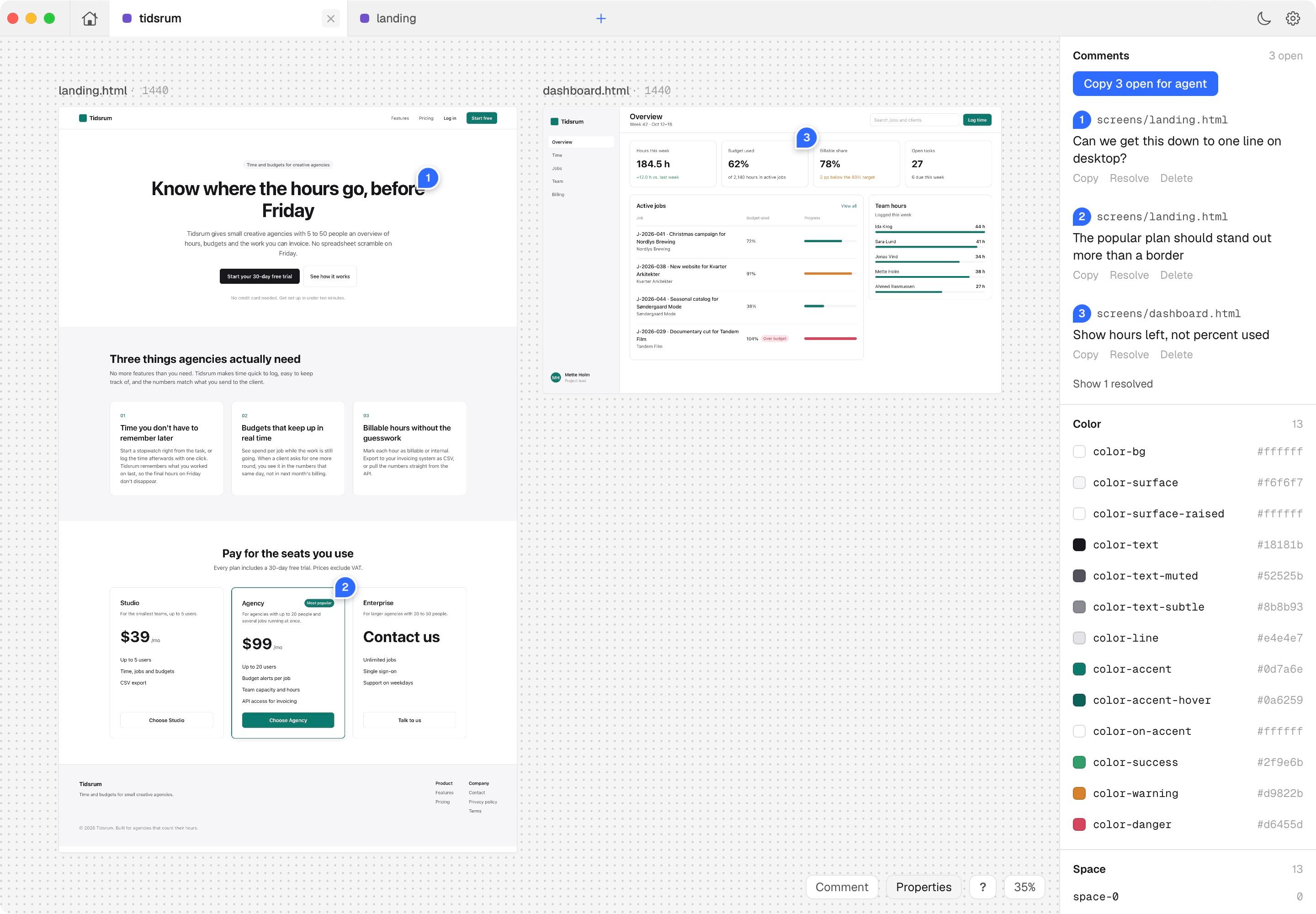
Edit it like a design tool
Select anything, change text where it sits and pick spacing, color and type from your tokens. Every change is written straight back into the HTML.

likeit runs on your Mac and keeps the design as plain HTML in your repo. You point, comment and tweak on the canvas. Your agents read the same files and do the work from the terminal.
Open source and local. Free forever, no account required.

› make the selected title smaller on mobile
Read .design/selection.json, screens/landing.html
Edit hero-title: --text-5xl below 720px
✓ Done. The board already shows it.
Behind it: C.W. Eckersberg, Study of Clouds over the Sound, 1826. SMK, public domain.
Paste this into Claude Code, Codex or any agent with a terminal. It installs likeit and the skill, sets up a board in your project and writes DESIGN.md and MOTION.md from the UI you already have.
Your agent asks before it decides where the designs live.
Set up likeit for this project and take care of the whole thing.

likeit is a local design tool for macOS. It's a canvas where I look at, comment on and edit designs, while you write them as plain HTML files in the repo. We explore and decide on the board first, so only the chosen design goes into production code, not every iteration.

Work through these steps and tell me briefly what you did after each one.

1. Install the app
   - Run swift --version. likeit builds with the Xcode Command Line Tools and Swift 6 or newer. If they're missing, run xcode-select --install and wait for me to finish the dialog.
   - Clone https://github.com/MathiasThorningBang/likeit into ~/Developer/likeit, or git pull if it's already there.
   - Run ./build.sh in the clone. It builds and installs /Applications/likeit.app.

2. Start it once
   - Run open -a likeit. On launch it installs its skills (likeit-setup, likeit-canvas, likeit-docs) in ~/.claude/skills and ~/.agents/skills, and the likeit command in ~/.local/bin.
   - Check with ls ~/.agents/skills and ~/.local/bin/likeit --help. If you load skills from another folder, copy them there.
   - Read likeit-setup's SKILL.md and follow it from here.

3. Ask me what this is
   - Does the design stand alone, or does it belong to this codebase? Tell me what you found (framework, Tailwind or CSS variables, fonts, components, motion). Ask for a short brief, only what the code can't tell you. Don't decide for me.

4. Make the folder
   - Run likeit init in the repo root. It makes likeit/ with the board, AGENTS.md, DESIGN.md, MOTION.md, tokens.css, motion.js, screens/ (with archive/) and assets/. Don't build this by hand.

5. Fit it to the project
   - tokens.css: keep the token names. Import the project's CSS if it works without a build, otherwise copy its values, and say where they come from in DESIGN.md.
   - DESIGN.md, MOTION.md and motion.js: base them on the UI, styles and motion this project already has. Where something is missing, ask me instead of inventing a brand.

6. Point the repo at it
   - Add a short Design section to the repo's AGENTS.md (and CLAUDE.md if there is one): new UI is explored on the likeit board in likeit/ before it goes into production code, read likeit/DESIGN.md and likeit/MOTION.md before any UI work, and resolve open annotations in likeit/.design/annotations.json.

7. Show me
   - Put one first screen's node on the board, then write its file (the board shows a skeleton until it exists), and open it with likeit open.
   - If this is a Next.js project, also read localhost.md in the likeit-canvas skill. The board can show the running dev server's pages as live frames.
Bring the agents you already work with
Open source · macOS 14 or later
Everything you and your agents do lands in HTML and JSON on your own disk, next to your code. Nothing to sync, nothing to export.
Select anything, change text where it sits and pick spacing, color and type from your tokens. Every change is written straight back into the HTML.
.design/selection.json
{
"file": "screens/pricing.html",
"id": "pricing-title",
"tag": "h2"
}
Select an element and say "make this smaller". Your agent reads a few lines of JSON, not a screenshot of your screen.
Press A, click, write what's wrong. The agent works through the open ones and each pin turns grey with a one-line reply.
No MCP server, no wrapper prompt and no extra rate limit. You prompt your own agent, on the plan you already have.
acme-site/
acme-site.canvas
tokens.css
screens/
landing.html
pricing.html
.design/
No account, no cloud, and frames run offline. Git is your history, and the HTML opens in any browser (with or without us).
likeit installs its skills for Claude Code, Codex, OpenCode, Gemini CLI and Cursor. Run likeit init, or ask your agent to set up likeit, and it makes the folder and fits it to your code. The skills are plain Markdown, so you can read every word of them.
likeit initlikeit-canvas / SKILL.md
# likeit-canvas
## Folders
One folder per project: likeit.canvas, tokens.css, screens/.
## Canvas
Frames side by side, 80 px apart, in groups.
## Annotations
Done? Set it to resolved and reply in one line.
What's new in likeit, as the annotations the agent closed. The full history is on GitHub.
Templates/bin/likeit · resolved by agent · open
Setting up a project is ten steps by hand. Can it be one command?
likeit init makes a likeit/ folder in your repo: the board, tokens, motion and the docs your agent reads first.
App/AgentTools.swift · resolved by agent · open
My agents should know likeit without me copying a skill into each of them.
The app installs its skills for Claude Code, Codex, Cursor, Gemini CLI and OpenCode, and asks your agent to fit the folder to your project.
Editor/ImageViewerController.swift · resolved by agent · open
Clicking a PNG in the sidebar does nothing.
Images and SVGs open in the app, fitted to the window. Click for actual size.
editor/src/canvas.js · resolved by agent · open
How does the agent know this button leads to the pricing page?
Draw edges between frames, or from a button to the page it leads to. Your agent reads them as the flow.
examples/ · resolved by agent · open
New people need something to open and poke at.
Two example projects in the repo: the likeit website as HTML, and a Next.js app with live frames.
AppIcon.icns · resolved by agent · open
Local Canvas sounds like a folder, not a product.
New name, new icon: the blue comment pin.
UI/NMColors.swift · resolved by agent · open
The canvas and the window around it look like two different apps.
Signal blue and Geist across the canvas and the app around it.
Editor/FrameSnapshotter.swift · resolved by agent · open
Zooming out on a big board stutters.
Smoother pan and zoom. Frames you are zoomed far out from show a picture of the page instead of the live one.
editor/src/canvas.js · resolved by agent · open
Copy for agent pastes a wall of text.
Copy for agent is shorter and points HTML frames to their data-id.
Workspace/NextProject.swift · resolved by agent · open
I want to see every route at once, not click through them.
Point likeit at a Next.js project and get one group per route, with desktop, tablet and mobile side by side.
Editor/CanvasController.swift · resolved by agent · open
Do I have to reload the board after every change?
Frames show the running dev server and update with hot reload.
Web/preview-runtime.js · resolved by agent · open
The agent can't tell which component I mean.
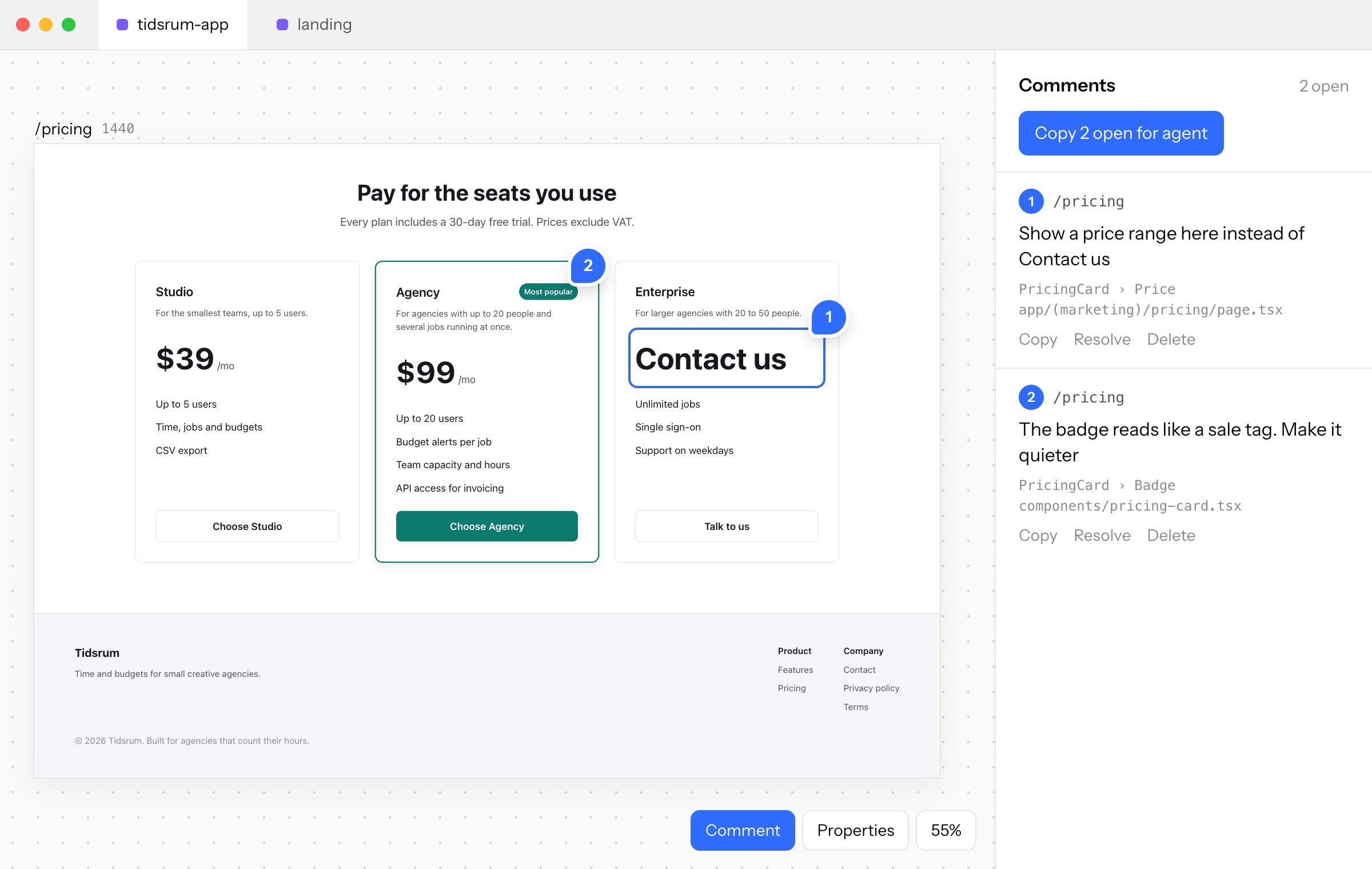
Press A to pin a comment on any element. likeit saves the route, file and React components so your agent finds the code.
.design/annotations.json · resolved by agent · open
How do I know the agent is done with a comment?
Your agent resolves comments with a one-line reply, and the pin turns grey.
UI/TabBarView.swift · resolved by agent · open
Opening a second board closes the first.
Boards open in tabs, with a home tab for recent work.
Editor/HTMLSourcePatch.swift · resolved by agent · open
Fixing a typo shouldn't need the agent.
Double-click a frame to select elements, edit text in place and change styles with token pickers. Edits go straight into the HTML.
.design/selection.json · resolved by agent · open
When I say “make this smaller”, the agent asks what “this” is.
What you select is written to .design/selection.json, so “make this smaller” works.
skills/likeit-canvas/SKILL.md · resolved by agent · open
The agent doesn't know how a board is put together.
The first version of the skill that teaches agents the board.
Point likeit at a Next.js project. Every route opens as a frame from your running dev server, and the board keeps up while your agent changes the code.
Each page in app/ becomes a frame, straight from localhost. See the whole frontend at once instead of clicking through it.
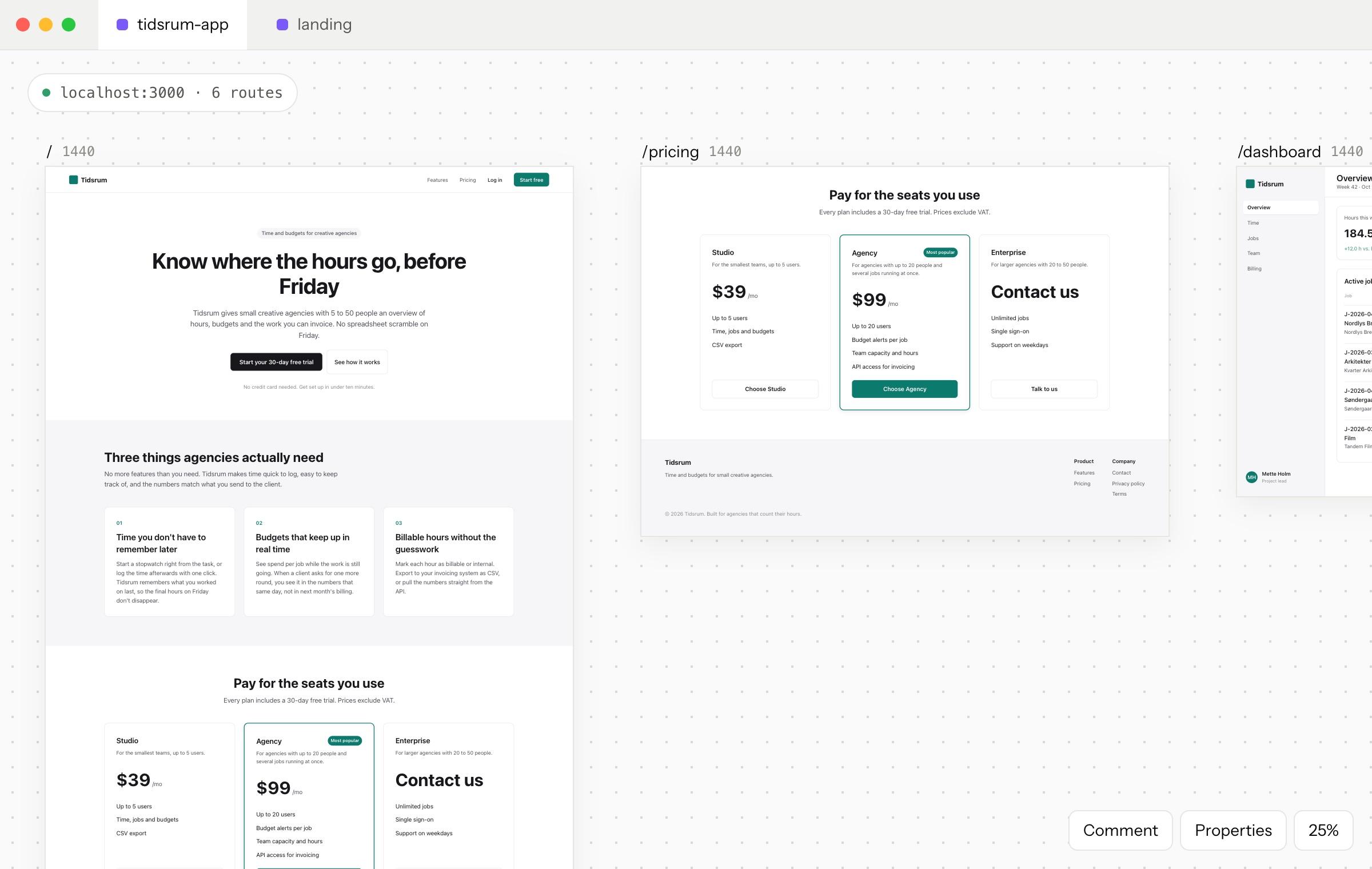
Behind it: C.W. Eckersberg, Study of Clouds over the Sea, 1826. SMK, public domain.
Hot reload runs inside the frames. Your agent saves a file and the page on the board changes. No refresh, no screenshots.

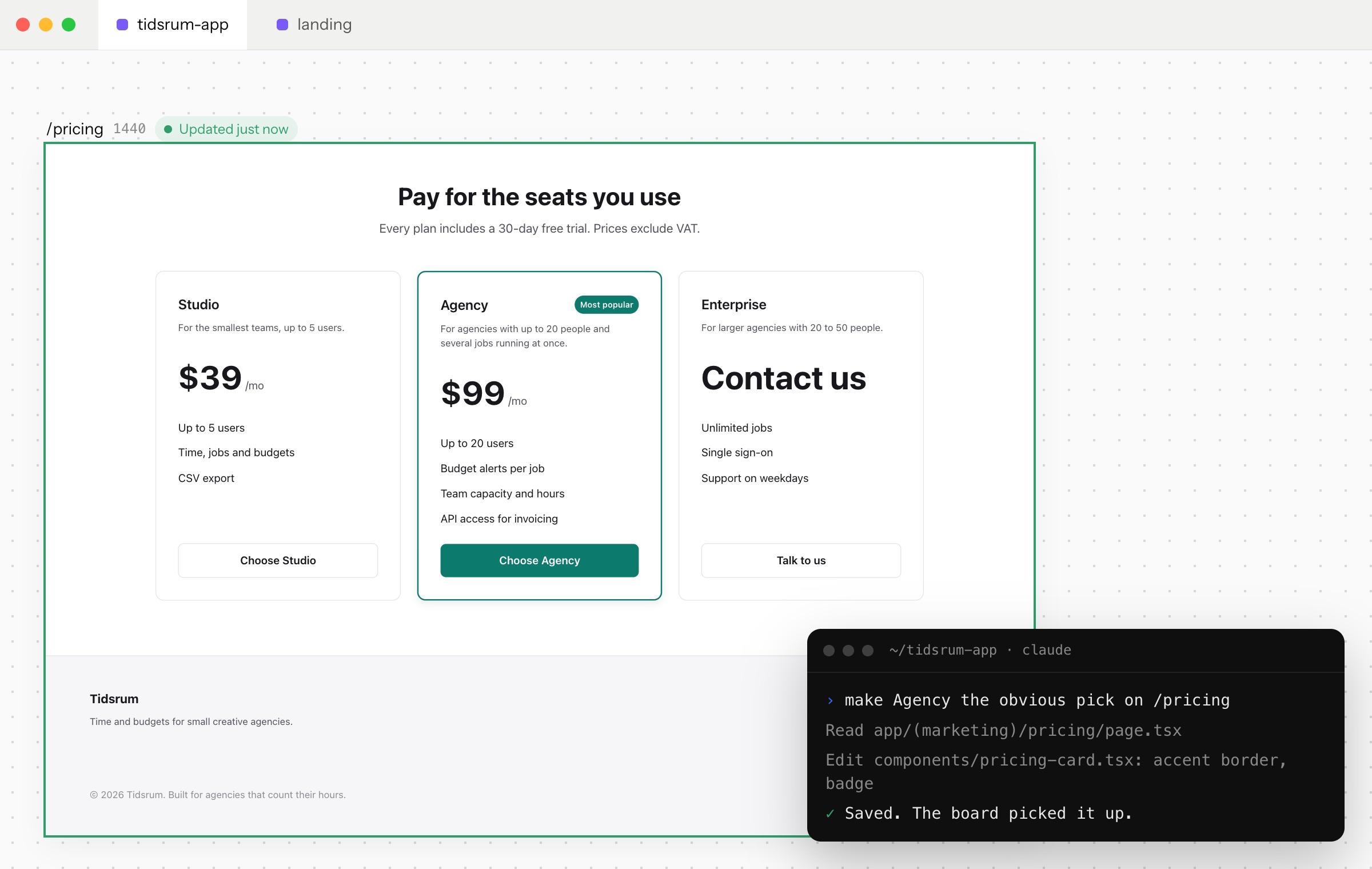
Behind it: Christen Købke, Sky Study, 1831–34. SMK, public domain.
Pin a note on any element. Your agent gets the route, the file and the component, so it knows where to look.
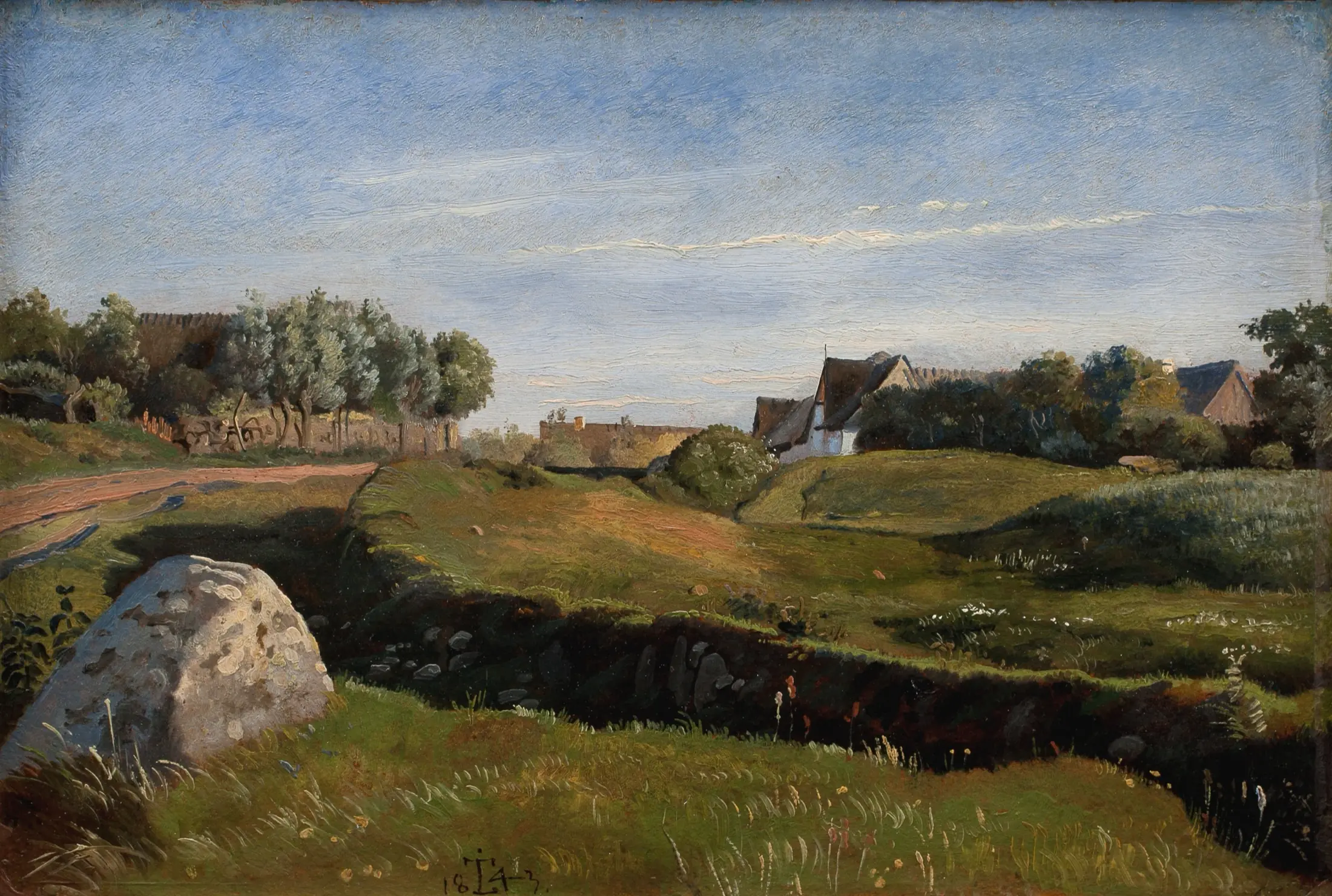
Behind it: J.Th. Lundbye, Landscape with Vejby Seen from the North, 1843. SMK, public domain.
No dates: things move up when they're ready, and down when we learn something.
Missing something? Request a feature.
likeit / MANIFESTO.md
likeit started as a markdown editor, built so I could read along while my agent wrote. It turned into something else: a place to design and collaborate with my agent before any of it reaches the codebase. This is why.
Claude Code and Codex read and write files on your disk: markdown, HTML, JSON. That's where they're quick and where they're cheap. When I tested a batch of real work files, a model reading the PDFs, decks and spreadsheets spent about six times the tokens it needed for the same content in markdown. For slide decks full of images it was 15 to 30 times. You pay that every time the file is read.
The catch is that those files are written for the agent. Raw markdown is tiring to read, and a folder of HTML files is not a design review. So you either squint at the agent's format, or you move the work into someone else's cloud and hand the agent a link to it.
likeit is the third option. The same files on the same disk, shown so a person can read them, edit them and point at them. Keep them in your project's git repo next to the code, or in a folder of their own. Your team reviews them the way it reviews code: on a branch, in a pull request.
An agent can build a whole landing page in the time it takes you to write the prompt. That speed is real, and it's also the problem. Explore inside the production codebase and every round leaves something behind: a component nobody imports, a prop for an idea you dropped, three buttons that differ by four pixels.
Twenty iterations later the design has moved on, and the code still carries all twenty.
On development projects in 2026 I keep seeing design choices and UX get skipped to keep up the pace. I understand why. The models are very good out of the box, and with a short prompt and some decent context they'll hand you something that looks great on the first try.
But there's a long way from looking good to working well for the person who has to use the product, the website or the app. A sign-up form can look finished and still ask for things nobody has at hand. A checkout can be beautiful and still lose people on a phone. You only catch that if someone stops and looks before it ships.
None of this is an argument for less AI. I use agents to build, design, think things through, plan and decide. This app and this landing page are 99.9 % agent work: the code, the text, the assets. That's why I built likeit. I wanted a place to do that work together with the agent, where I can see it, point at it and say no before it reaches production.
On a likeit board every screen is an HTML file. Your agent writes it, and you see it live beside the others. Select a button and say "make this smaller". Pin a comment on the price. Put three headlines side by side and compare them instead of remembering them. The notes and the decisions sit on the same board as the screens they're about.
When something is settled, that and only that goes into the real app. And once the app is running, its pages go on the same canvas, so the last round of comments lands on the real code.
The board itself is a folder in your repo, not a document in a service you rent. When the agent needs context, it opens a file. When a teammate wants to see the work, they pull the branch.
Production code should hold the decision you made, not the twenty rounds of searching it took to get there.
Nothing is uploaded. Frames on a board can't reach the internet; only your own localhost gets through.
A board is JSON Canvas, a screen is HTML, a note is markdown. If likeit disappeared tomorrow, every file would still open.
There's no chat box in likeit and no model of our own. Claude Code or Codex stays in your terminal; the app follows what changes on disk.
Plans, flows and variants are worth looking at before they cost you a pull request. The board is where you say yes or no.
Mathias Bang, October 2026